

Section 1: The Case for AI Finance and Bookkeeping Automation
Here is the honest version: most small business owners spend somewhere between 10 and 20 hours every month on financial admin that a decent software subscription could handle while they sleep. A QuickBooks survey found that 83 per cent of small businesses already use some form of accounting software. Yet, the same survey showed that the majority of those owners still feel behind on their books. The gap is not the software. It is the setup. Tools get purchased, half-configured, and then abandoned when the first bank sync fails. This guide exists to close that gap. It breaks down the 13 essential AI finance and bookkeeping tools we’ve verified, focusing on how to automate your ledger while maintaining the human oversight that keeps you audit-proofing your business.
What these tools for AI Finance and Bookkeeping actually do day-to-day
- Bank pulls: Your transaction history comes in automatically each day, so you are not typing in every coffee meeting and hardware purchase by hand.
- Expense sorting: The software files each transaction under a category based on where you spent the money and what you bought. It gets this wrong often enough that you still need to check, but it handles the bulk of the volume.
- Invoice reminders: Once a reminder schedule is set up, the software sends follow-ups on your behalf. You stop being the person who has to chase clients every month.
- Cash flow visibility: The tool looks at your past income and spending and gives you a rough picture of what the next few months might look like. Not a guarantee, but a useful starting point.
- Anomaly flags: Duplicate charges, unusually large payments, patterns that break from your normal history—the software raises a flag so you can decide whether to act.
- Year-round record keeping: It keeps everything tidy enough that tax time stops feeling like a disaster you deferred from January.
The gap between the promise and the reality in Financial Automation
The marketing for these tools tends toward phrases like “set it and forget it.” The reality is more like “set it, check it weekly, and fix the occasional wrong category before it becomes a tax problem.”
These tools are genuinely good at repetitive, high-volume work: sorting, matching, reminding, flagging. They are not good at understanding context. A dinner receipt that was half a client meeting and half catching up with a friend is not something any software can figure out on its own. That call belongs to you.
Think of the software as the person who processes the paperwork. You are still the one who decides whether the paperwork is correct.
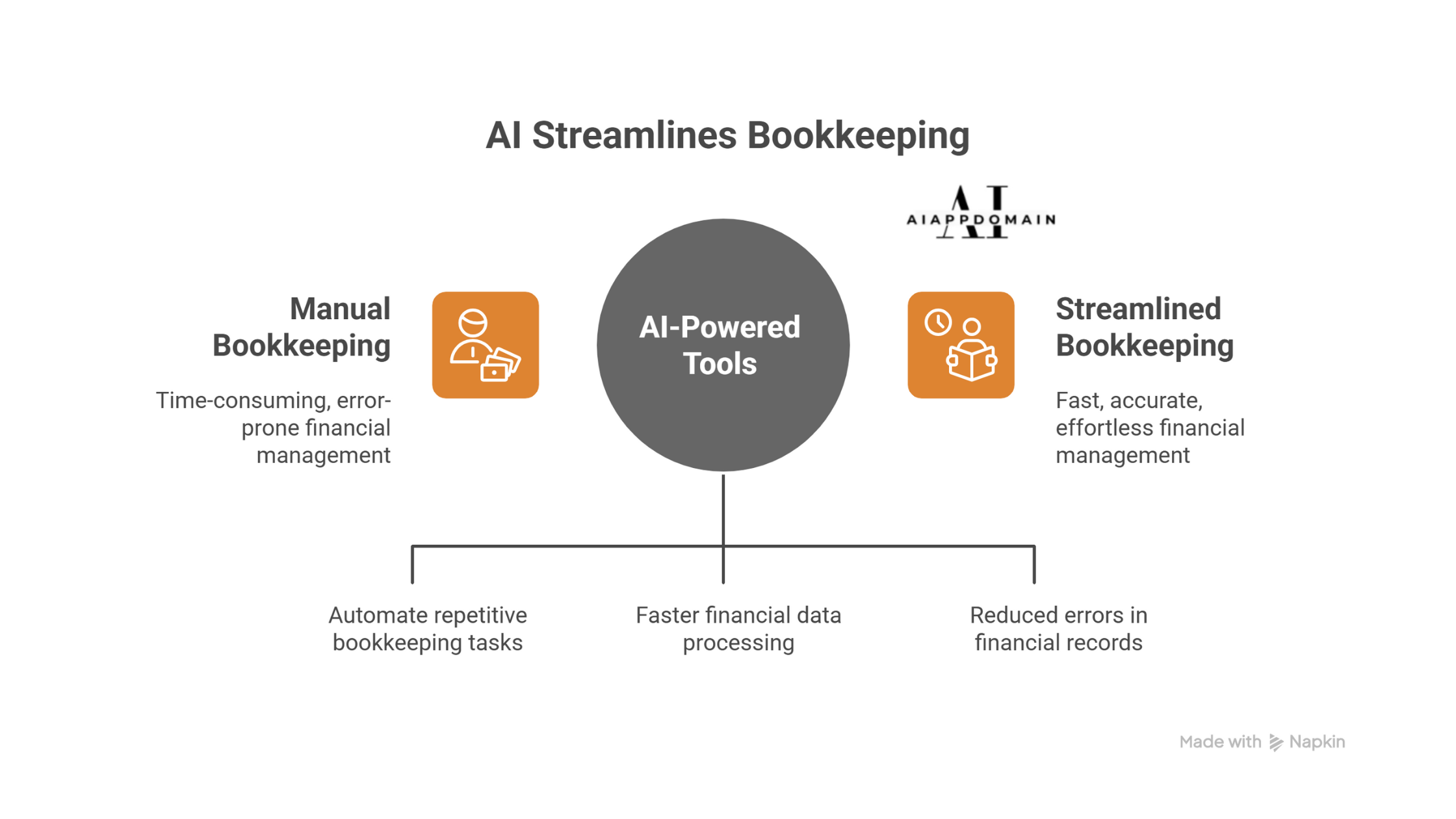
Section 2: The 13-Tool AI Finance and Bookkeeping Comparison
Pricing is as close to current as we can make it, but software companies adjust their plans regularly. Verify before you subscribe.
| AI Finance and Bookkeeping Tool Name | Best For | What It Does Well | 2026 Pricing & Categorization |
| QuickBooks | Small businesses and consultancies that want one central place for everything | Learns your spending habits over a few weeks and starts sorting transactions correctly without being told every time | From ~$35/month (Simple Start). High-accuracy expense categorization logic. |
| FreshBooks | Freelancers who bill by project or hourly and need invoicing to run itself | Spots which clients you invoice on a regular cycle and times reminders to land before the due date, not after | From $20/month for up to 5 clients. Unlimited clients on higher tiers. |
| Xero | Small businesses working closely with an external accountant | Lets you drag a payment forward or back on a calendar view and shows immediately how that changes your cash picture for the next 90 days | From ~$29/month. Advanced financial automation reporting. Pricing went up in late 2026. Check current rates. |
| Zoho Books | Tools like Zoho Books offer a budget-friendly entry point for startups, providing seamless cloud accounting integration with inventory and CRM systems | Catches duplicate charges and bank errors during reconciliation without you having to spot them manually | Free for revenue under roughly $50k/year. Paid plans from ~$15/month. Seamless cloud accounting integration. |
| Wave Accounting | Brand-new freelancers and side businesses are not ready to spend money on software yet | Reads receipts in multiple languages, pulls out the date, amount, and merchant, and tags the category—even from a blurry phone photo | Free for core use. Pro plan ~$16/month adds automatic bank import. Excellent for simple expense categorization. |
| Expensify | Teams where multiple people are submitting expenses and receipts regularly | Snap a receipt on your phone, and it logs itself. Works on the road with no internet and syncs when you reconnect. | From $6/month. Team pricing scales by the number of active users. |
| FlyFin | Self-employed people who file their own taxes and want help not to miss deductions | Tracks your spending throughout the year and builds a running list of what is likely deductible, so April is not a scramble | Free basic tier. Full filing support from ~$16/month. |
| Melio | Businesses that pay multiple vendors and want those payments to run on a schedule | Sends payment reminders on your behalf and tracks which clients have a habit of paying late, so you can plan around them | Free to start. Pro from $25/month. Some transaction fees apply. |
| Betterment | Business owners are putting surplus cash to work in investments rather than letting it sit | Spreads your money across a diversified portfolio based on how much risk you are comfortable with, and adjusts automatically | 0.25% annual fee. No minimum balance. Human advisor access on the premium tier. |
| Wealthfront | Owners who want more control over how their money is invested and are comfortable with a slightly steeper learning curve | Handles tax-loss harvesting automatically and offers a direct indexing option for higher balances | 0.25% annual fee. $500 minimum to open an account. |
| Feedzai | Businesses processing a high volume of transactions where payment fraud is a genuine operational risk | Watches every transaction as it comes in and raises a flag the moment a payment looks out of the ordinary for that account | Enterprise pricing only. Contact the vendor directly for a quote. |
| TrendSpider | Founders and business owners who actively manage market investments alongside running their company | Spots chart patterns and signals across stocks and other instruments, helping you time decisions with data rather than gut feeling | From ~$39/month. Higher tiers for more advanced analysis. |
| YNAB (You Need A Budget) | Owners who want to manage both business and personal finances in one place and actually stick to a budget | Assigns every incoming dollar a specific job before you spend it, and recalculates your remaining budget in real time as money moves | ~$109/year or ~$14.99/month. 34-day free trial, no credit card required. |
Tools 1 through 7 for AI finance and bookkeeping cover the daily work: recording, invoicing, categorising, and filing. Tools 8 through 13 go further: investments, fraud prevention, and market tracking. Most small businesses will only ever need the first group.
Section 3: The Gap in Your Audit Trail (And How to Close It)
Accounting software is very good at handling volume. It is not good at knowing when something is wrong in a way that numbers alone cannot show. That is the gap that gets small business owners into trouble.
Where the software tends to go wrong
- Merchant defaults: The software learns that a certain restaurant usually counts as meals and entertainment, but it cannot tell whether this particular dinner was a client meeting or a birthday dinner with your family.
- Split purchases: If you bought office supplies and a personal item in the same transaction, the software files the whole amount under whichever category it recognises first. Splitting it correctly requires a manual step.
- Multi-entity transactions: A payment that needs to be divided between two business entities will land in the wrong place every time without a specific rule telling it otherwise.
- Tax law changes: The software’s categorisation logic reflects the rules that were in place when it was last updated. If your tax authority changed how it treats a particular expense type, the software may still be working from the old version.
- Payroll edge cases: A year-end bonus, a one-off contractor payment, or a salary adjustment made outside your normal cycle will often either get flagged as suspicious or filed in the wrong category entirely.
A review schedule that actually works
- Weekly check-in (15 minutes): Go through every transaction the software sorted in the past seven days. Confirm the ones it got right. Correct the ones it did not, and if you see the same mistake twice, set a rule so it does not happen a third time.
- Monthly reconciliation (30 minutes): Run the reconciliation report and hold it against your actual bank statement. Every line needs a match. If something does not line up, find the reason before the next month adds more on top.
- Quarterly category audit (1–2 hours): Sit down with your accountant, or at least with your own chart of accounts, and check that every expense category reflects what your business actually did that quarter. Better to catch a structural problem here than at filing time.
- Pre-filing export review: Before any tax return goes in, hand a professional the raw transaction export from your software, not just the totals. They need to see how the software categorised individual items, not just the final numbers.
Section 4: Connecting Your Software to Your Business Bank Account
The steps below apply to QuickBooks, Xero, Zoho Books, FreshBooks, and Wave. The menu options are named slightly differently in each tool, but the underlying process is the same.
- Establish Your Foundation: Before connecting any tools, log into your bank’s online portal and verify that third-party access is switched on. Look for settings labelled Open Banking, data sharing, or third-party API access. Most business accounts have this enabled by default, but some require you to turn it on manually. Indian bank users (HDFC, ICICI, SBI, Axis) will find this under Account Preferences or Security Settings in NetBanking. US bank users connecting through Chase, Bank of America, or Wells Fargo will go through a service called Plaid. If you have ever linked your bank to an app like Venmo, you have already used it.
- Register with the Right Details: Use your business email address when creating your accounting platform account, not the personal one tied to your streaming subscriptions. When onboarding asks for your business type and country, answer with care. The software uses those two answers to set your tax categories and filing rules. Getting them wrong at this stage creates months of confusion. And do not skip the chart of accounts screen. The default list is generic. Spend ten minutes renaming and adding categories to match how your business actually spends money.
- Connect the Bank Feed: Head to the Banking or Transactions section and look for a “Connect account” or “Link bank” option. Type your bank name into the search. If it shows up, click Connect and sign in the way you normally would with your bank. The whole thing takes under two minutes, and you will not need to touch it again. If your bank is not in the list, go to your bank’s website, find the transaction export tool, and download the last few months as a CSV or OFX file. Upload that directly into the software. It is a bit more manual, but it works reliably. Most banks support at least one of those formats. Once connected, switch on the daily auto-sync option so new transactions appear each morning without any input from you.
- Teach It Your Spending Patterns: After the first batch of transactions comes in, go through them and approve the categories the software suggested where it got things right. For anything filed incorrectly, correct it and look for an option to create a rule: “Always file transactions from this merchant under this category.” That rule sticks for every future transaction from the same source. Start with your most frequent expenses: regular software subscriptions, utility bills, and supplier payments. These are the ones that make the biggest dent. Give the system four to six weeks before you judge how accurate it is. It does get better as it processes more of your history.
- Layer in Your Other Tools: Once the bookkeeping platform is running cleanly, connect your invoicing tool if they are separate products. Paid invoices should flow in and match automatically against the corresponding bank deposits. Add your receipt-capture app (Expensify and the Wave mobile app both handle this well) so that photos of receipts go straight into your ledger without any manual entry. If you run payroll through a separate tool, connect that too, so salary payments are categorised as payroll rather than dropping into a general expenses bucket.
- Set the Safeguards That Keep You Honest: Turn on low-balance alerts so you get a notification before your account drops to a level that will cause problems with upcoming bills. Block out a recurring 15-minute slot in your calendar for the weekly transaction review; do not leave it to memory or good intentions. If you plan to add a forecasting tool such as Fathom, Dryrun, or PocketSmith, wait until you have at least 60 days of clean transaction history before relying on its projections. A forecast built on four weeks of data is not reliable enough to make real decisions from.
Final Word: Smarter AI Finance and Bookkeeping
The list of these thirteen tools is long. Most small business owners need three, maybe four. Here is the short version:
- Books are a mess, and reconciliation takes hours every month: Start with QuickBooks or Zoho Books. Get the core recording layer working before you add anything else.
- Unpaid invoices keep slipping through the cracks: Start with FreshBooks or Melio. Both take the follow-up work off your plate without requiring much setup.
- Never quite sure whether there is enough money to cover next month: Start with Xero or PocketSmith. The cash flow view alone changes how you make spending decisions.
- Tax time is a recurring disaster: Start with FlyFin and book a quarterly check-in with your accountant. The combination of software and a professional set of eyes is the fastest way out of that cycle.
The point is not to build a complicated, fully automated finance department using AI finance and bookkeeping. The point is to get to a place where your books take less than an hour a week to maintain, errors get caught before they become penalties, and you can read your own financial position without needing to be an accountant.
The software gets you most of the way there. The combination of a 15-minute weekly review and high-end software is what audit-proofing actually looks like in practice.
Frequently Asked Questions
These are the questions that come up most often from AllBasicKnowHow readers after they start looking at accounting software. The answers draw from everything covered in this guide.
A Final Word on How to Use This Guide
AllBasicKnowHow has been writing for small business owners since 2021. In that time the single most common mistake we have seen is people treating an article as a substitute for professional advice. This guide is not that, and it is worth being direct about what it is and what it is not.
- This is general information, not advice for your specific situation: The tools, steps, and observations in this guide are based on how these products work for a broad range of small businesses. Your business has its own legal structure, tax obligations, and financial circumstances. What works well for a solo freelancer in the US may not apply to a registered company in India or a partnership in the UK. Before making material financial decisions based on anything you read here, talk to a licensed accountant or CPA who knows your situation.
- Prices and features change, sometimes quickly: Every pricing figure in this guide reflects what was publicly available at the time of writing in early 2026. Software companies adjust their plans regularly—sometimes adding features to existing tiers, sometimes moving features to higher plans, sometimes changing prices altogether. Always check the vendor’s own pricing page before you subscribe. Do not rely on a number from any article, including this one.
- The tools described here are not guarantees of results: The case studies and time-saving figures in this article come from real reported outcomes. They are not promises. How much time you save, how many errors you catch, and how much smoother your tax season gets depends on how consistently you use the tools, how carefully you set them up, and how regularly you review the output. Software that runs on autopilot with no human check is software waiting to create a problem.
- Some links in this guide may earn a referral fee: AllBasicKnowHow occasionally earns a small commission when a reader signs up for a tool through a link on this site. This does not change the price you pay. We do not recommend tools we have not reviewed, and referral relationships do not influence which tools appear in this guide or how they are described. If you have questions about a specific link, you can contact us directly through the site.
- Connecting financial software to your bank carries responsibility: When you link a bank account to any of these tools, you are sharing access to your financial data with a third-party company. Reputable tools use read-only access and meet security standards like SOC 2 and GDPR, but the responsibility for reading their privacy policy, enabling two-factor authentication, and backing up your data sits with you. If a tool asks for write access to your account rather than read-only access, find out exactly why before agreeing.
- This guide will be updated, but the version you read may not be current: We review and update AllBasicKnowHow articles regularly, but the version you are reading right now reflects the information available at publication. The AI finance software market moves quickly. If you are making a significant decision—switching platforms, investing in an enterprise tool, or building a finance workflow for a growing team—verify the current state of each tool directly with the vendor before committing.
disclaimer
This guide was written to help small business owners understand their options, not to make decisions for them. Nothing here replaces a conversation with a qualified accountant, tax advisor, or financial professional who knows the specifics of your business.
The tools, workflows, and case studies in this article reflect real products and reported outcomes, but every business is different. What saves 15 hours a month for one consultant may save three for another, depending on setup, consistency, and the complexity of the underlying finances. Results are not guaranteed.
AllBasicKnowHow does not sell financial products, manage client funds, or provide regulated financial advice. We are a publishing site. We research tools, report what we find, and share what we believe to be accurate at the time of writing. We are not liable for decisions made based on the content of this or any other article on this site. If something in this guide affects a significant financial decision—changing your accounting system, restructuring how you handle payroll, or approaching a tax filing differently—please verify it with a licensed professional before acting on it. That conversation is worth more than any article.
Since 2021, Barnali Ojha has been dedicated to demystifying complex technology for small business owners at AllBasicKnowHow.