

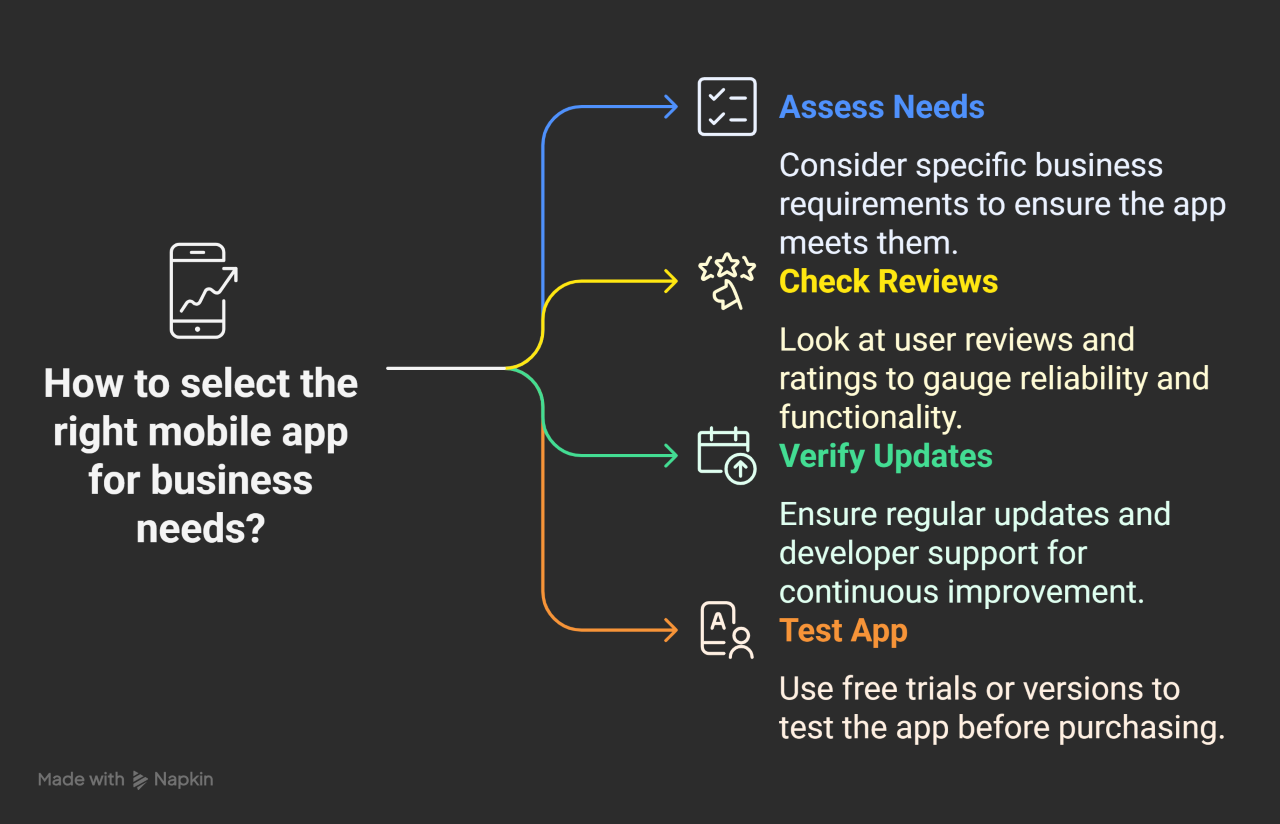
Let me tell you about the moment I realised my phone had become the most important piece of business equipment I owned.
I was sitting in a café between client meetings, laptop nowhere in sight, and I needed to send an invoice, check a project deadline, respond to two client messages, and confirm an appointment, all before the next meeting started in forty minutes. Three years earlier, that would have meant either scrambling for a laptop or letting everything wait until I was back at my desk. Now, the shift toward powerful mobile apps for business communication means I can manage an entire office right from my pocket.
That afternoon, I did all four things from my phone in under fifteen minutes, finished my chai, and walked into the meeting feeling calm rather than frazzled.
That shift, from phone as a communication device to phone as a mobile business command centre, is one of the most significant practical changes in how small businesses operate today. The apps that make it possible are not all obvious, not all well-publicised, and certainly not all equal.
Here at AllBasicKnowHow, we put this guide together for small business owners or freelancers who want to know which mobile apps are genuinely worth having. Not a list of everything available, but an honest assessment of the tools that actually make a difference to how you work when you are away from your desk.
We have organised them across six categories so you can go directly to the area that matters most to your business right now.
This guide focuses on the mobile communication layer. For the full business tech stack picture, Best AI Apps for Small Business Tech Stack: The Ultimate 2026 Guide shows how mobile tools fit alongside your other systems.
Mobile Apps for Business Communication: Why Your Phone Needs a Professional Setup
Most people treat their phone as a personal device that sometimes does business things. The small business owners who gain the most from mobile technology treat it the other way around, as a business device that also handles personal life.
The difference is the setup. A phone with the right apps, properly configured, means that being away from your desk costs you nothing in terms of responsiveness, organisation, or professional quality. A phone that is not set up for business work means every hour away from your laptop is an hour where things pile up.
The apps in this guide cover the six categories that matter most for a small business operated primarily or partially on mobile: entertainment and wellbeing for the inevitable downtime, productivity and organisation for the core work, finance for keeping money moving, health and wellness because burnout is a business risk, learning because staying current matters, and communication because everything else depends on it.
Category 1: Entertainment and Wellbeing Mobile Apps for business communication
These might seem out of place in a business guide. They are not. The quality of your focus, creativity, and decision-making is directly connected to how well you manage the hours between intense work. Business owners who treat rest as a luxury rather than a professional input consistently underperform those who treat it as part of the job.
1. Spotify
What it is: A music and podcast streaming platform with a library covering millions of songs, albums, and original podcasts across every genre imaginable.
Why it belongs in a business setup: Research in the field of cognitive psychology documents that low-stimulation background music, instrumental, ambient, classical, and lo-fi styles, can support focus during repetitive tasks while reducing the distraction of ambient noise in shared spaces. Beyond focus work, Spotify’s podcast library is one of the most valuable free sources of business education available. There are excellent podcasts on marketing, finance, client management, and entrepreneurship that are the equivalent of ongoing professional development, available during the commute, the gym, or the school run.
Practical use: Create a playlist specifically for focused work. No lyrics, consistent tempo, familiar enough not to distract. Keep it separate from your personal music so switching into work mode has a physical signal attached to it.
Pricing: Free plan with ads. Premium from $11.99/month.
2. Hulu
What it is: A video streaming service covering films, TV series, and news content.
Why it belongs in a business setup: Rest is not optional. Business owners who work through every evening and weekend consistently make worse decisions, produce lower quality work, and burn out faster than those who create genuine downtime. A streaming service on your phone means that downtime is genuinely restorative rather than half-distracted scrolling. This is less about Hulu specifically and more about having a designated, intentional rest activity that your brain associates with switching off from work.
Pricing: From $7.99/month.
3. Crunchyroll
What it is: A streaming service specialising in anime and East Asian animated content, with a large library of original series across multiple genres.
Why it belongs in a business setup: For the significant portion of small business owners and freelancers who work in creative fields, or who have clients in gaming, entertainment, or youth-facing industries, staying current with trends in animation and visual storytelling is genuinely professionally relevant. The same logic applies to Hulu. Designated, enjoyable downtime is a professional investment.
Pricing: Free plan with ads. Premium from $7.99/month.
Category 2: Mobile Productivity and Organisation Apps
These three apps are the core of a mobile business setup. If you do nothing else from this guide, install and properly configure these three.
4. TickTick
What it is: A mobile productivity app (and also a task management app) that combines to-do lists, habit tracking, a calendar, and a Pomodoro timer in one clean interface.
Why it is worth your attention: Most task management apps do one thing well. TickTick does several things well simultaneously, which matters when you are working from a phone rather than a desktop, where you might have multiple apps open at once. The Pomodoro timer integration is genuinely useful for maintaining focus during mobile work sessions.
What makes it stand out from other task apps: The natural language input means you can type “call Priya Tuesday at 3 pm” and TickTick creates the task with the correct date, time, and reminder without you navigating any menus. On mobile, where typing is already slower, this kind of input efficiency matters significantly.
Practical setup tip: Create a list called “Today” and every morning, move the three most important tasks from your project lists into it. Those three tasks are your non-negotiables for the day. Everything else is a bonus.
Pricing: Free plan available. Premium from $2.99/month.
| Plan | Price | Key Features |
| Free | $0 | Unlimited tasks, basic calendar, mobile and desktop |
| Premium | $2.99/month | Calendar integration, habit tracker, Pomodoro timer, filters |
Prices verified on official TickTick website at the time of writing. Always confirm current pricing at ticktick.com.
5. Google Calendar
What it is: Google’s calendar application, available across all devices with real-time syncing and deep integration with the rest of the Google Workspace ecosystem.
Why every small business owner should have this configured properly: Calendar management is one of the most-used habits in a small business. When your calendar accurately reflects your commitments, client meetings, focused work blocks, admin time, and personal appointments, you make better decisions about what to accept and what to decline.
What makes the mobile version particularly useful: The mobile app handles notifications better than the desktop version for most people. Meeting reminders, travel time alerts, and schedule changes arrive on your phone regardless of whether your laptop is open.
Practical setup tip: Color-code your calendar by category from the start. One color for client work, one for internal work, one for personal commitments, and one for admin. After two weeks, look at the color distribution. What you see is an accurate picture of where your time is actually going, not where you think it is going.
Pricing: Free with a Google account.
6. Evernote
What it is: A note-taking and project planning application that works across mobile and desktop with the ability to capture text, images, audio, and web content.
Why it matters for mobile business work: Ideas do not arrive on schedule. Evernote is a high-performance “capture” tool for organizing information so it is actually retrievable later.
What makes it stand out: The search function remains its greatest asset. You can search for text within images and handwritten notes. For business owners who photograph whiteboards or business cards, that information becomes searchable rather than archived and forgotten.
Important Note on 2026 Pricing: The Free tier is now restricted (currently limited to 50 notes and one notebook). Treat the free version as a “test drive” to ensure the interface works for you before committing to a paid plan.
Pricing: Limited Free plan. Personal from $14.99/month.
| Plan | Price | Key Features |
| Free | $0 | 50 notes, 1 notebook, basic search |
| Personal | $14.99/month | Unlimited notes and notebooks, full search, offline access |
| Professional | $17.99/month | AI features, calendar integration, and advanced search |
Prices verified on the official Evernote website at the time of writing. Always confirm current pricing at evernote.com.
Category 3: Finance, Banking, and E-commerce Apps
Money management on mobile is no longer a compromise. The tools available in 2026 are capable enough that most financial tasks that once required a desktop can be handled from a phone.
7. Monarch Money
What it is: A modern financial management platform that provides a unified view of spending, budgets, and business-lite cash flow by connecting to your bank accounts and credit cards in real-time.
Why it belongs in a business setup: For freelancers managing the boundary between personal and business finances, Monarch Money provides the clarity that individual bank apps cannot. Its “Financial Forecast” feature allows you to see how today’s spending affects your business’s bottom line six months from now.
Important note for 2026 users: Following the closure of Mint, Monarch Money has emerged as the premier alternative for those who require a clean, ad-free interface with robust multi-account syncing. It is built for visibility and long-term planning.
Practical use: Connect all accounts and use the “Recurring” tab to see every business subscription you are currently paying for. Reviewing this once a month is the simplest way to identify and cancel “leaking” business expenses.
Pricing: Free trial available. Premium from $14.99/month (or $99/year).
8. Revolut
What it is: A mobile banking platform providing multi-currency accounts, international money transfers, instant spending notifications, and built-in budgeting tools.
Why it is particularly relevant for freelancers and small business owners: If you invoice clients in multiple currencies, receive international payments, or travel for work, Revolut addresses a cluster of problems that traditional bank accounts handle badly and expensively. Currency conversion at interbank rates, instant payment notifications, and the ability to hold balances in multiple currencies without conversion fees make it meaningfully useful for internationally-active small businesses.
What to watch: Revolut is a financial technology platform rather than a traditional bank. In many regions it does not offer the same deposit protection as a licensed bank. Understand the regulatory status in your country before using it as your primary business account.
Pricing: Free personal plan available. Business plans from $0 to $45/month, depending on features.
| Plan | Price | Key Features |
| Standard | $0 | Multi-currency account, basic transfers, spending analytics |
| Premium | $9.99/month | Travel insurance, higher limits, priority support |
| Metal | $16.99/month | Cashback, concierge, and the highest transfer limits |
Prices verified on the official Revolut website at the time of writing. Always confirm current pricing at revolut.com.
9. Amazon
What it is: The e-commerce and shopping platform, available as a mobile app for browsing, purchasing, and managing orders.
Why it appears in a business guide: For small business owners who regularly purchase supplies, equipment, or business materials, having the Amazon app properly set up, with business account integration where available, wishlists organised by category, and purchase history accessible, turns what is often an ad-hoc activity into a structured one. Amazon Business accounts, available in many regions, offer tax invoices, multi-user access, and business-specific pricing that make procurement significantly more organised.
Practical use: Create a wishlist called “Business Supplies” and add items as you think of them rather than buying immediately. Review the list once a month and purchase what is genuinely needed. This simple habit tends to reduce impulse business purchases significantly.
Pricing: Free app. Amazon Prime from $14.99/month.
Category 4: Health and Wellness mobile Apps for business communication
Running a small business is demanding in ways that accumulate invisibly. These three apps address the physical and mental dimensions of that demand.
10. Calm
What it is: A mental health and meditation application offering guided meditations, sleep stories, breathing exercises, and programmes specifically designed for stress management and anxiety reduction.
Why it belongs in a professional toolkit: Stress affects decision-making, client communication, creativity, and patience, all of which directly affect the quality of your work and your relationships. A ten-minute guided meditation in the morning or between demanding client interactions is professional maintenance, not self-indulgence.
Practical use: The “Daily Calm,” a ten-minute guided meditation that changes every day, is the most useful starting point for people who have not meditated before. Commit to it every morning for two weeks before evaluating whether it is useful. The benefit is cumulative and is not always obvious in the first few sessions.
Pricing: Free limited content. Premium from $14.99/month or $69.99/year.
11. Strava
What it is: A fitness and activity tracking app that uses GPS to record outdoor activities, including running, cycling, and hiking, with social features that connect you with other athletes.
Why a fitness app belongs in a business guide: Physical activity is one of the most well-documented contributors to cognitive performance, stress management, and sustained energy. Strava specifically is worth mentioning because the social and goal-setting features meaningfully improve the likelihood of maintaining a consistent exercise habit over time, which is the variable that determines whether exercise actually delivers its benefits.
Practical use: Connect with two or three other business owners or colleagues on Strava. The mild social accountability of visible activity tends to sustain habits more effectively than private tracking alone.
Pricing: Free plan available. Premium from $11.99/month.
12. Lose It
What it is: A diet and nutrition tracking application that helps monitor calorie intake, establish nutrition goals, and track progress over time.
Why nutrition tracking is a business consideration: Cognitive performance is significantly affected by nutrition. Blood sugar stability, hydration, and protein intake all influence focus, decision-making speed, and emotional regulation. For business owners who regularly skip meals, rely on convenience food during busy periods, or notice their afternoon focus flagging, understanding the nutritional patterns behind those experiences is practically useful.
Practical use: Track honestly for two weeks without trying to change anything. The awareness alone tends to produce modest improvements, and the data gives you an accurate picture of what is actually affecting your energy and focus.
Pricing: Free plan available. Premium from $9.99/month.
Category 5: Education and Learning Apps
Staying current is not optional in a market that is changing as quickly as this one. These three apps make ongoing learning practical for someone who rarely has large blocks of uninterrupted time.
13. edX
What it is: An online learning platform providing access to courses from universities and institutions worldwide, covering business, technology, data, marketing, finance, and many other professionally relevant subjects.
Why it matters for small business owners: edX provides access to genuinely rigorous course content on subjects including digital marketing, financial management, data analysis, AI, and business strategy. Many courses are free to audit. Certificates are available for a fee.
Practical use: Identify one skill gap that is currently limiting your business. Find a course that addresses it. Commit to one module per week rather than trying to complete it quickly. Learning that sticks is learning done consistently over time, not in a weekend rush.
Pricing: Free to audit most courses. Verified certificates from $50 to $300, depending on the course.
14. Babbel
What it is: A language learning application using structured lessons and spaced repetition to teach conversational competence in new languages.
Why language learning is a practical business investment: For businesses with international clients, or for freelancers targeting international markets, even basic competence in a client’s language changes the quality of the relationship. It signals respect, effort, and cultural awareness. Beyond client relationships, language learning has well-documented cognitive benefits, improved memory, attention, and cognitive flexibility, that transfer directly to business performance.
Practical use: Fifteen minutes per day is enough to make meaningful progress. The Babbel app is designed specifically for short, consistent sessions rather than long study blocks, which makes it realistic for someone with a full business schedule.
Pricing: From $13.95/month, with significant discounts on longer subscriptions.
15. Audible
What it is: Amazon’s audiobook platform, with a library covering fiction, non-fiction, business, biography, and professional development content.
Why audiobooks belong in a business toolkit: The average small business owner has very little time for reading. They have considerably more time for listening during commutes, exercise, household tasks, and travel. Audible converts that time into ongoing professional development without requiring a dedicated block of reading time.
Practical use: Start with one business or professional development book per month. That is twelve books per year, more than most business owners read in five years without audiobooks.
Pricing: From $14.95/month for one credit (one book). Additional titles at member pricing.
Category 6: Communication and Social Media Apps
Communication tools are where most mobile business setups start, and often where they stop. These three go beyond the obvious choices to address specific business communication needs.
16. FreeConference.com
What it is: A long-standing conferencing service offering unlimited free audio and video calls with no time limits on the free plan.
Why it deserves a place on this list: Most small business owners default to Zoom or Google Meet, which often impose strict time limits on free tiers. FreeConference.com acts as a professional “fail-safe.” It requires no account or software downloads from participants—they join directly via a web browser or a local dial-in number.
Practical use: Save your conference details in your phone contacts for immediate access. Use it as your primary backup option to avoid the professional friction of a meeting being cut short by a 40-minute timer.
Pricing: Free. Premium plans from $9.99/month.
17. Signal
What it is: A private messaging application using end-to-end encryption for text messages, voice calls, video calls, and file sharing.
Why Signal belongs in a professional toolkit: As a small business owner, you regularly share information that deserves protection. For example, Client details, financial information, contractual terms, and sensitive project content. Standard SMS and many messaging apps do not provide meaningful encryption for this content. Signal does, with encryption that is among the strongest available in any consumer messaging application.
Beyond security: Signal’s interface is clean, its group messaging works reliably, and its voice and video call quality is consistently good. For clients and collaborators who are privacy-conscious, including many in legal, financial, healthcare, and technology sectors, being able to offer Signal as a communication channel is a practical professional advantage.
Practical use: Set up Signal and mention it to clients who share sensitive information regularly. Many will already have it and will appreciate the option.
Pricing: Free. Signal is a non-profit and does not monetise user data.
18. LinkedIn
What it is: The professional networking platform connecting business owners, employees, freelancers, and decision-makers across industries worldwide.
Why LinkedIn on mobile is different from LinkedIn on desktop: The mobile app makes LinkedIn a genuinely practical daily habit rather than an occasional activity. Commenting on posts during spare minutes, responding to connection requests immediately, and sharing a quick thought while an idea is fresh. These micro-interactions are the ones that build a visible professional presence over time.
Practical use: Spend ten minutes per day on LinkedIn. Not scrolling, but engaging. Comment on three posts from people in your network. Share one piece of useful information relevant to your field. Respond to any messages within 24 hours. Done consistently over three months, this habit produces a meaningfully stronger professional network than sporadic, intensive LinkedIn sessions.
Pricing: Free. LinkedIn Premium from $39.99/month for additional features, including InMail and expanded search.
| App | Free Plan | Paid From | Primary Business Use |
| FreeConference.com | Yes (unlimited) | $9.99/month | Backup conferencing with no participant account required |
| Signal | Yes (fully free) | N/A | Encrypted messaging for sensitive client communication |
| Yes | $39.99/month Premium | Professional networking and business development |
Prices verified on official vendor websites at the time of writing. Always confirm current pricing directly with each AI apps.
If your mobile communication needs to include automated customer support, the next read is Master AI Chatbots for Small Business Customer Support: The Ultimate 2026 Guide, which covers how to build a chatbot layer that handles the routine questions so you do not have to.
For a side-by-side cost comparison of business communication apps, AI Small Business App Prices Comparison: The Ultimate 2026 Value Guide breaks down exactly what each tier costs and where the value actually lies
Building Your Mobile Business Setup: A Practical Starting Point
Eighteen apps is a list, not a setup. Here is how to turn this list into a working mobile business configuration.
1. Start with the Productivity Core
Before anything else, install and properly configure TickTick, Google Calendar, and Evernote. These three apps handle task management, scheduling, and information capture, the three functions that, when working well on mobile, eliminate most of the friction of working away from a desk. Spend one afternoon setting them up properly rather than installing them and leaving them at default settings.
2. Add the Financial Layer
Connect Mint or Revolut to your accounts and spend one week simply observing your financial position through the app rather than through individual bank apps. The visibility change alone is usually significant.
3. Choose One Learning Commitment
Pick either edX, Babbel, or Audible, whichever addresses the most immediately useful gap in your current skills. Commit to a specific daily time for it. Morning commutes, lunch breaks, and exercise sessions are the most reliable slots for most people.
4. Install the Communication Essentials
Signal and LinkedIn belong on every small business owner’s phone. FreeConference.com is worth having as a backup. These require minimal configuration but deliver reliable value when needed.
5. Add Wellbeing Apps as a Professional Decision
Calm, Strava, and Lose It are not afterthoughts. They address the physical and mental inputs that determine the quality of everything else on this list. Treat installing them with the same seriousness as installing a productivity tool.
Common Pitfalls to Avoid
Installing apps without configuring them
An app that is installed but not set up is just a notification source. Before moving on from any app, spend twenty minutes configuring it properly. An app that is configured well delivers value immediately.
Treating your phone as a distraction during meetings
The same device that makes you productive between meetings becomes a professional liability during them. Establish a clear rule: phone face-down and on silent during client meetings.
Over-installing and under-using
More apps is not better. Pick the tools from each category that address your most immediate needs and use them properly before adding more.
Neglecting mobile security basics
A phone that contains client contact details, financial information, and business communications is a significant security risk if lost or stolen. Ensure your phone has a strong lock screen code, enable remote wipe capability, and use two-factor authentication on any app that contains sensitive business information.
Frequently Asked Questions
Do I need all 18 of these apps?
No. Start with the productivity core: TickTick, Google Calendar, and Evernote, and add from there based on your specific business needs. Many businesses will find that six to eight well-configured apps cover everything they need.
Are mobile versions of these apps as capable as the desktop versions?
For most of the apps on this list, the mobile version is either equally capable or optimised specifically for mobile use. The exceptions are Evernote and LinkedIn, where some advanced features remain more accessible on desktop.
How much should I budget for mobile business apps each month?
A functional mobile business setup can be built for between $0 and $30 per month, depending on which paid tiers you choose. Many of the most useful apps on this list, Google Calendar, Signal, LinkedIn, FreeConference.com, are free.
Is it safe to do business on a mobile phone?
Yes, provided basic security practices are in place. Strong lock screen, two-factor authentication on sensitive apps, and awareness of what information you access on public Wi-Fi networks.
What is the single most impactful change I can make to my mobile setup today?
Configure Google Calendar properly, with color coding, accurate meeting details, and travel time alerts turned on. A calendar that accurately reflects your day changes how you manage time more significantly than any other single app.
A Final Word from AllBasicKnowHow.com
Your phone is already the most-used device in your business. The question is whether it is set up to work as hard as you need it to.
The 18 apps in this guide are not about turning your phone into a more demanding work device. They are about making it a more capable one, so that the hours you spend away from your desk are productive rather than behind, connected rather than cut off, and occasionally genuinely restful rather than half-distracted.
Start with three. Configure them properly. Add more when those three are working well.
That is how a mobile business setup is built. One properly used app at a time.
⚖️ Disclaimer: This article is for general educational purposes. App pricing, features, and availability change regularly. Always verify current details on each vendor’s official website or app store listing before downloading or subscribing. Some app features may vary by region or operating system. Nothing here constitutes financial, legal, or technical advice. AllBasicKnowHow is a publishing site. All references to aiappdomain.com have been updated to allbasicknowhow.com.
Part of the Business Automation Blueprint series. Explore the full collection at allbasicknowhow.com