
I still remember the Sunday evening I sat down to “quickly sort my invoices” and ended up spending two and a half hours chasing errors: three missing receipts, two unpaid clients, and one spreadsheet with a mysterious negative number in a column I didn’t even recall creating. That was the turning point when I realized how vital AI tools for freelancers 2026 really are. Instead of drowning in spreadsheets, AI-powered solutions can automate invoicing, flag anomalies, and keep finances organized, saving precious time and sanity.
That was my breaking point. Not a dramatic one. No tearful resignation letter, no burning the laptop. Just a quiet, exhausted realisation that I was spending more time running my freelance business than actually doing the work I built it around.
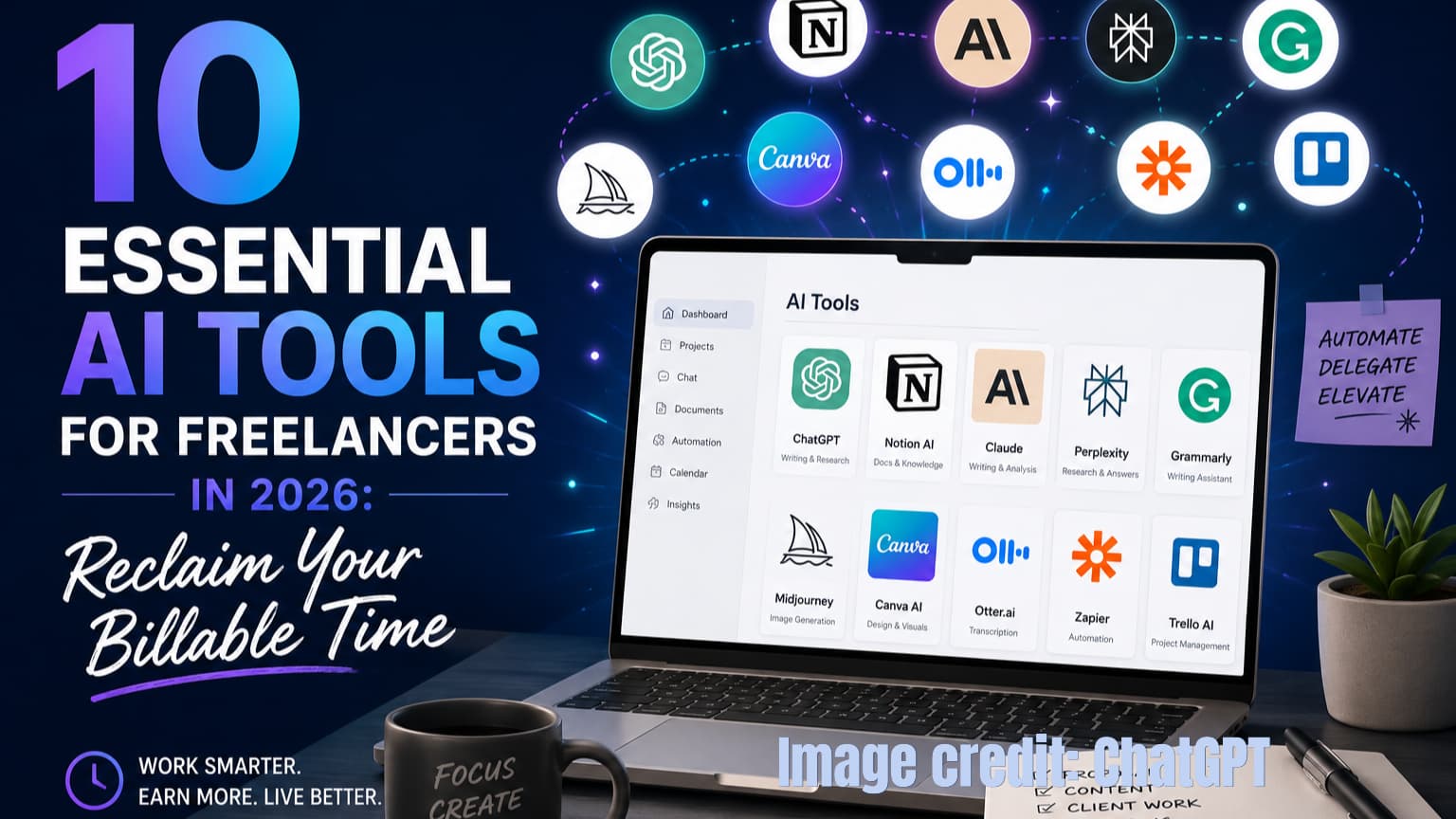
In the guide, “10 Essential AI Tools for Freelancers in 2026: Reclaim Your Billable Time,” as a practical partner, Barnali explains ten of the most common freelancer challenges and the specific AI tools that actually address each one, without requiring a tech background or a corporate budget.
Why Freelance Automation is Different in 2026
According to the Upwork Freelancer Forward 2023 report, the most comprehensive dataset available at the time of writing, 38 percent of the US workforce engaged in freelance work in some capacity, representing approximately 64 million people. Subsequent industry reports suggest that the figure has continued to grow (Upwork Freelancer Forward 2023). Yet surveys consistently show that the biggest barriers to freelancing successfully are not skill-related. They are operational.
Freelancer surveys have long tracked this pattern. Finding steady work, getting paid on time, handling paperwork, and managing the anxiety of not knowing what next month looks like are not creative problems. They are administrative ones. And administrative problems have administrative solutions.
A QuickBooks survey of 2,000 small business owners found that 83 percent already use AI at work in some form, and 65 percent want to use it even more (QuickBooks AI Survey 2023). The AI tools are there. The gap, for most freelancers, is not awareness. It is knowing which ones to use and how to connect them into something that actually works.
How AI tools for freelancers and small businesses solve 10 Challenges
The Full Picture Before We Dive In
| Challenge | Why It Matters |
| 1. Time Management | No structure leads directly to burnout |
| 2. Project Organisation | Multiple clients mean multiple chances to drop something |
| 3. Administrative Overhead | Non-billable hours drain the time that should be earning |
| 4. Client Communication | Slow or unclear responses damage trust faster than missed deadlines |
| 5. Financial Instability | Irregular income makes every spending decision feel like a gamble |
| 6. Cash Flow Forecasting | Not knowing when money arrives creates constant low-level anxiety |
| 7. Proposal Writing | Hours on bids that do not convert is a brutal, invisible tax on your time |
| 8. Finding High-Quality Clients | Competing on price rather than value is a dead end |
| 9. Staying Competitive | The market keeps shifting and skills need to follow |
| 10. Scaling Without Hiring | More clients should not automatically mean more stress |
Time Management: How Can AI Tools for Freelancers 2026 Solve the Time Gap?
The Problem: Without a fixed schedule or a manager setting priorities, it is easy to spend the first hour of every workday just figuring out what to do. That decision fatigue is invisible but cumulative. I used to work late into the night regularly. Not because I had more work than time, but because I had not planned the day and kept pivoting between tasks.
Best AI for Time Management: Motion and Auto-Scheduling
The AI Solution: The best AI for time management in 2026 is Motion, which uses an auto-scheduling algorithm to rebuild your calendar around changing priorities. Motion is an AI-powered calendar and task manager that auto-schedules your day based on deadlines, priorities, and the time you actually have available. You tell it what needs doing and when it is due. It builds the plan and rebuilds it whenever something changes.
What this looks like in practice: Instead of opening your task list each morning and making a dozen small decisions, you open Motion and your day is already laid out. When a client sends an urgent request mid-morning, Motion recalculates your schedule around it automatically. Most users report recovering meaningful productive hours each week within the first month. Not from working more, but from wasting less.
Other strong options: Clockify AI for time tracking across clients and projects. Todoist with AI assistant for a lighter, more flexible task list.
| Tool | Free Plan | Paid from | Best for |
| Motion | No | $19/month | Full auto-scheduling |
| Clockify | Yes | $3.99/month (billed annually) | Time tracking across clients |
| Todoist | Yes | $4/month (billed annually; $5/month on monthly billing) | Flexible daily task management |
Project Organisation: Keep Every Client’s Work Where It Belongs
The Problem: How does freelance business automation reduce client overload? Managing three clients simultaneously is not just about remembering what needs to be done. It is about knowing which version is current, who approved what, what is blocked, and what comes next, without sending a chaser email every time you need an answer. I kept a chaotic Google Sheet for two years. It was always wrong.
Mastering Freelance Business Automation with ClickUp
The AI Solution: ClickUp AI handles project planning, task tracking, deadline management, and progress updates in one place. ClickUp Brain is a paid add-on on top of the base plan; the project management features work without it. Freelance business automation works by using tools like ClickUp to centralize client communications and project tracking. Features like ClickUp Brain can instantly summarize meeting notes and flag at-risk deadlines, allowing freelancers to manage multiple high-value clients without increasing their stress levels.
What this looks like in practice: One freelance project manager we spoke to at AllBasicKnowHow cut her weekly planning time significantly after switching to ClickUp. The tool now warns her when a deadline looks risky given her current workload, before the client has noticed a potential slip.
Other strong options: Trello with Butler for simpler, more visual workflows: Butler is Trello’s built-in rule-based automation layer, not an AI system, but it reliably handles card movements and reminders without manual updating. Asana with AI integrations for larger client rosters.
Pro Tip: When you set up ClickUp for the first time, resist the temptation to recreate every process you currently use. Start with one client, one project. Learn how the tool thinks before you migrate everything into it.
| Tool | Free Plan | Paid From | Best For |
| ClickUp | Yes | $7/month (Unlimited plan, billed annually; ClickUp Brain add-on is an additional $7/user/month) | Multi-client project management |
| Trello + Butler | Yes | $5/month | Visual, card-based workflows |
| Asana | Yes | $13.49/month | Larger teams and client bases |
Reducing Administrative Overhead: The Full Picture
The Problem: I spent five to six hours every month on invoicing alone in my early freelance years, before accounting for tax prep, scheduling, and chasing late payments. None of that time was billable. All of it was exhausting.
The AI Solution: Which Tools Provide the Best Automated Invoicing for Freelancers? FreshBooks handles invoicing, payment reminders, and time tracking automatically. It also categorises your income and expenses throughout the year, which makes tax preparation significantly faster, but the tax preparation itself still requires either your own review or a qualified accountant. Think of FreshBooks as the tool that keeps your financial records in order, so tax season is a two-hour task rather than a two-day crisis. Pair it with Calendly for scheduling, and you have removed two of the biggest administrative time-sinks from your week in a single afternoon of setup.
What this looks like in practice: Setting up auto-reminders in FreshBooks takes about five minutes. After that, clients receive a reminder before the due date, a follow-up if they are late, and a final notice if the payment is very overdue, without you composing a single message. One AllBasicKnowHow reader told us she dropped from six hours of monthly invoicing admin to under one hour within her first week of using FreshBooks.
Other strong options: QuickBooks Self-Employed for more complex financial needs. Wave Accounting if you need a completely free option with no compromises on core functionality.
| Tool | Free Plan | Paid From | Best For |
| FreshBooks | 30-day trial | $20/month | Invoicing and payment reminders |
| Wave Accounting | Yes (free) | $16/month Pro | Free bookkeeping and invoicing |
| QuickBooks SE | No | $19/month | Full financials and tax prep |
| Calendly | Yes | $10/month | Scheduling without email chains |
Client Communication: Be Responsive Without Being Reactive
The Problem: Juggling messages from multiple clients across email, WhatsApp, and project management tools is exhausting. Something always slips. And the client who feels ignored rarely says so. They just do not come back.
The AI Solution: Grammarly Business is an AI writing assistant that analyses your emails and client messages in real time, flagging tone, clarity, and professionalism issues before you send. For freelancers whose client relationships live primarily in written communication, it is one of the highest-return tools in this list; small improvements in written clarity compound across every client interaction over the course of a year. Avoma joins your calls, takes notes, and produces a structured summary with action items, so you are not scrambling to remember what was agreed on an hour after the call ends.
What this looks like in practice: A freelance copywriter I know reduced revision requests from clients noticeably after using Grammarly Business. Not because her work changed, but because her communication became clearer and more consistent. Avoma cut her call note-taking time significantly. She now sends a follow-up summary within ten minutes of every client call.
Other strong options: Tidio for client-facing chat support. Chatfuel for automating responses to common client questions.
Common Pitfall to Avoid: Do not use AI to write your client emails wholesale and send them without reading. The tool improves your communication. It does not replace the human judgement that makes client relationships work.
The piece of the freelancer workflow that most tools do not address is how you plan and map your projects before the work begins. Master Automated Project Mapping for Freelancers The Ultimate 2026 Guide covers exactly this: how to build a system that stops you from losing track of client work and deadlines
Financial Instability: Know What Is Coming Before It Arrives
The Problem: Irregular income is not just a cash flow problem. It is a planning problem. When you do not know whether next month will be strong or slow, every spending decision feels like a gamble. I once turned down a training course I genuinely needed because I was not sure I could afford it, and that month turned out to be one of my strongest.
The AI Solution: PocketSmith analyses your past income and spending patterns and projects your cash position forward, by week, by month, or by quarter. It is not a guarantee. It is a map that lets you make decisions with information rather than anxiety.
What this looks like in practice: One freelance consultant used PocketSmith to see that a slow period was coming in March. She shifted a non-essential equipment purchase to April and took on a small additional project in February to bridge the gap. She avoided a cash shortfall she would otherwise have walked into without warning.
Other strong options: Wave Accounting for day-to-day income and expense tracking. For more sophisticated financial management as your business grows, QuickBooks Online (Simple Start or Essentials tier) paired with a part-time accountant is the most stable and portable choice. Your data stays in an industry-standard format, it integrates with nearly every other tool in this guide, and you are never dependent on a single managed service provider’s continuity. If you prefer fully outsourced bookkeeping, verify the provider’s track record and confirm your data is exportable to QuickBooks or Xero before committing.
| Tool | Free Plan | Paid From | Best For |
| PocketSmith | Yes (limited) | $9.99/month | Cash flow forecasting |
| Wave Accounting | Yes (free) | $16 (Automated Bank Sync now requires the Pro Plan ($16/mo)) | Income and expense tracking |
| QuickBooks Online | 30-day trial | $20/month (Solopreneur) / $38/month (Simple Start) | Full accounting, cash flow reports, tax-ready financials |
Cash Flow Forecasting: See the Dip Before It Hits You
The Problem: The gap between finishing a project and receiving payment can be three to six weeks. When several of those gaps overlap, which they will, regularly, the result is a cash crunch that has nothing to do with how busy or productive you are.
The AI Solution: QuickBooks Online connects to your bank account, categorises income and expenses automatically, and generates cash flow reports based on your actual transaction history. It flags upcoming shortfalls before they arrive, giving you enough time to act rather than react. Note that this capability is in QuickBooks Online, not QuickBooks Self-Employed. The Self-Employed version is a simpler mileage and expense tracker designed for gig workers. Choose the Online Simple Start plan or above for the cash flow visibility described here.
Pro Tip: Turn on cash flow alerts so you receive a notification when your projected balance is heading below a threshold you define. This single feature has prevented more financial surprises for freelancers than any other tool we have seen, and it takes about two minutes to configure.
Pricing: QuickBooks Self-Employed from $19/month.
Proposal Writing: Stop Starting from a Blank Page
The Problem: Writing a proposal that wins work takes research, structure, and persuasion. Doing that from scratch for every enquiry, when you are already running at capacity, is unsustainable. I used to spend two hours on proposals. Many of them did not convert.
The AI Solution: How can I use an AI proposal generator to win more bids? You can win more bids by using an AI proposal generator like Copy.ai to create the structural framework of your pitch. By providing a brief of the project and your unique approach, the tool generates a professional draft in minutes, allowing you to focus your energy on the personalization and creative strategy that closes the deal. Bonsai AI generates structured proposal drafts in minutes from prompts you provide about the project, the client, and your approach. You edit and personalise the output. You do not start from nothing.
What this looks like in practice: A freelance strategist who previously spent two hours per proposal now spends fifteen minutes. Five to brief the tool and ten to review and personalise the output. Her conversion rate improved because she was spending her editing time on persuasion and relevance rather than structure and formatting.
Common Pitfall to Avoid: AI proposal tools generate structure, not insight. The knowledge of what the client actually needs, and the positioning of your specific experience, still comes from you. Do not send a generated proposal without that layer of personalisation.
| Tool | Free Plan | Paid From | Best For |
| Copy.ai | Yes | $49/month | Proposal drafts and marketing copy |
| Bonsai AI | No | $25/month | Proposals, contracts, and invoicing |
| Jasper | 7-day trial | $69/month | Long-form content and proposals |
If you are new to using AI for writing or research, ChatGPT for Beginners: The Ultimate 2026 How-To Guide is worth reading alongside this one. It covers the foundational prompting skills that make every other tool in this list work better.
Finding High-Quality Clients: Stop Competing on Price
The Problem: Bidding on open platforms where every project goes to the cheapest option is exhausting and, over time, demoralising. The solution is not to bid harder on platforms that commoditise your skills. It is to find clients who already value what you do.
The AI Solution: Apollo.io and Hunter.io use AI to identify leads in your niche, verify contact details, and help you build targeted outreach lists of companies that match your ideal client profile. These are not cold-call lists. They are qualified prospects you can approach with a specific, relevant message.
What this looks like in practice: One freelancer using Apollo.io identified 40 companies in her niche that matched her ideal client profile. She sent a personalised, relevant message to each. Three responded within a week. One became a significant monthly retainer.
Pricing: Apollo.io free plan available; paid from $49/month. Hunter.io free plan with limited searches; paid from $34/month.
Staying Competitive: Know Where the Market Is Moving Before Everyone Else Does
The Problem: The skills that commanded a premium rate eighteen months ago may not be the ones clients are willing to pay for today. Staying competitive means knowing what is rising before it becomes obvious to everyone else and the market adjusts accordingly.
The AI Solution: The Upwork Skills Index and LinkedIn Talent Insights both track demand for specific skills over time, showing you where client spending is shifting. Use this data to position existing skills more effectively and to decide what to build next.
What this looks like in practice: A freelance content writer who spotted rising demand for AI-assisted content workflows in the Upwork Skills Index pivoted to offer that as a service before her competitors noticed the shift. Within three months she was earning significantly more per project.
Pricing: Upwork Skills Index is free. For LinkedIn market data, LinkedIn Premium Career or Business from $39.99/month gives access to salary insights and limited demand signals. LinkedIn Talent Insights is a separate enterprise product for HR teams and is not the same as LinkedIn Premium, individual freelancers do not need it.
Scaling Without Hiring: Do More Without Breaking Yourself
The Problem: The instinctive response to more clients is more hours. But hours are finite. At some point, taking on more work without changing how you work just leads to burnout and declining quality, which is the opposite of scaling.
The AI Solution: Why is Scaling Without Hiring a Critical Goal in 2026? Scaling without hiring is critical because it allows freelancers to maximize profit margins using automation layers like Zapier. By connecting your existing software, you can automate client onboarding and recurring reports, doubling your output capacity without the overhead of a full-time assistant. Make.com connects your existing tools and automate the handoffs between them. Client onboarding sequences, project kickoff emails, invoice follow-up chains, and weekly report delivery. You build the process once. It runs on its own from that point forward.
What this looks like in practice: One freelancer doubled her client capacity without hiring by automating her onboarding sequence, weekly project update emails, and invoice follow-up chain through Zapier. The time she recovered went into client work, not client management.
| Tool | Free Plan | Paid From | Best For |
| Zapier | Yes (limited) | $19.99/month (billed annually; higher on monthly billing) | Connecting apps and automating handoffs |
| Make.com | Yes | $9/month | More complex multi-step workflows |
List of Official Pricing Pages for the tools
| Tool | Official pricing page |
| Motion | usemotion.com/pricing |
| ClickUp | clickup.com/pricing |
| ClickUp Brain | clickup.com/ai |
| Trello | trello.com/pricing |
| Clockify | clockify.me/pricing |
| Todoist | todoist.com/pricing |
| Notion | notion.so/pricing |
| FreshBooks | freshbooks.com/pricing |
| QuickBooks Online | quickbooks.intuit.com/pricing |
| Zapier | zapier.com/pricing |
| Make.com | make.com/en/pricing |
| Calendly | calendly.com/pricing |
| Apollo.io | apollo.io/pricing |
| Hunter.io | hunter.io/pricing |
| Asana | asana.com/pricing |
How to Start Without Feeling Overwhelmed
This is the part most guides skip. Knowing which tools exist is not the problem. Knowing where to start is.
Here is the approach we recommend at AllBasicKnowHow, the same one I used when I finally stopped trying to fix everything at once:
- Identify Your Single Biggest Time Drain: Look at the ten challenges above. Which one costs you the most hours or causes the most anxiety each month? Start there, and only there. Not two things. One.
- Pick One Tool and Run It Properly for Four Weeks: Use the free trial if there is one. Set it up fully, not halfway. Give it enough time to actually change your workflow before you judge whether it works.
- Set One Rule Before Adding Anything Else: Once your first tool is running reliably and you can feel the difference, identify your next biggest problem and add the next tool. The goal is three to five tools that each do one thing well, not ten that each do something halfway.
- Review Once a Month: Spend twenty minutes at the end of each month checking whether each tool is earning its place. Is it saving you time? Is it improving your work? If not, remove it. Unused subscriptions are just a tax on your business.
Common Pitfalls to Avoid
Relying on AI writing tools without editing the output: Content generated by an AI writing tool and sent directly to a client without a human pass tends to miss context and personality. Always read and edit before sending.
Rushing the setup on powerful tools: ClickUp and Zapier both take a few sessions to configure properly. Budget that time upfront. A rushed setup creates more problems than it solves.
Uploading sensitive client data to untested platforms: Before connecting any AI tool to client files or communications, read the privacy policy and check what data is stored and where. This matters especially for tools that handle financial or legal content.
Chasing new tools before the current ones are working: The most expensive tool is the one you are paying for and not using properly. One well-configured tool beats five half-used ones every time.
If you are starting to grow your freelance work into something bigger, the tools in this guide will only take you so far. Best AI Apps for Small Business Tech Stack: The Ultimate 2026 Guide is the natural next read when you are ready to build a proper business infrastructure around your solo operation.
If you are deciding between proofreading and editing tools, AIAppDomain has published an honest, tested review covering the top options specifically for freelance writers and editors.
Frequently Asked Questions
1. Do I need any technical skills to use these tools?
No. Every tool on this list was built for people who run businesses, not people who build software. If you can use Gmail and send an email, you can use these.
2. What is the best starting point if I am completely new to AI tools?
Start with whichever challenge from the list above costs you the most time right now. If it is invoicing, begin with FreshBooks. If it is scheduling, begin with Motion. Match the tool to the problem.
3. Are free plans good enough, or do I need to pay from the start?
Free plans are a great starting point, but in 2026, most ‘Free’ tiers (like Wave) have moved features like Bank Sync and AI Categorization to their paid plans. Start for free to learn the interface, but expect to upgrade once your transaction volume grows.
4. Will these tools work if I have clients in multiple countries?
Yes. Tools like Zoho Books and Wave handle multi-currency invoicing. Most tools on this list are built for international freelance work.
5. How long before I see results?
Most freelancers notice a meaningful reduction in admin time within two to four weeks of consistently using a well-configured tool. Consistency is the keyword. Tools only work when you use them.
6. What are the best AI tools for a small business tech stack in 2026?
The honest answer is that the best tool is the one that solves your most immediate problem, not the one with the longest feature list. That said, a few tools have pulled ahead of the pack this year for small business use specifically.
For writing, research, and document work, Claude Pro and ChatGPT Plus are the two that most business owners end up keeping after testing everything else. Claude handles longer documents and strategic writing particularly well. ChatGPT is the stronger choice for general research and tasks that involve images or mixed media.
For customer support, Tidio’s Lyro AI handles the routine enquiries that eat your mornings. For meeting notes and follow-ups, Fathom records, transcribes, and summarises your calls without any manual input after the initial setup.
The goal is not a stack of ten tools. It is three or four that cover your daily work without requiring you to think about them. Start with one, use it properly for a month, then decide what the next gap is.
7. How can AI specifically help freelancers get more done without working more hours?
The shift that has made the biggest practical difference for freelancers in 2026 is not using AI to write content. Most freelancers tried that and found the output needed so much editing that the time saving was marginal. The real gains have come from using AI to handle the work that surrounds the billable work.
Proposal drafting is the clearest example. Writing a tailored proposal from scratch takes two hours. Briefing an AI tool with the project details, the client’s context, and your approach, and then editing the output, takes twenty minutes. That is time back in your week without any compromise on quality, provided you edit carefully before sending.
Administrative tasks are the other category worth automating. Scheduling, invoice follow-ups, meeting notes, and recurring client updates. These are the tasks that feel small individually but add up to a full day of lost billable time each week when you add them up over a month.
If you want to build small custom tools for your own workflow without hiring a developer, platforms like Glide, Bubble, or Make are worth exploring. They are built for non-technical users and allow you to create functional automations and lightweight apps through visual interfaces. Cursor is a different category: it is an AI-assisted code editor that helps developers write and debug code faster. It is powerful, but it assumes coding knowledge and is not a practical starting point for someone without a technical background. Some freelancers are using it to build their own internal systems rather than paying for off-the-shelf software that almost but not quite fits how they work.
The principle is the same regardless of which tools you use. Identify the tasks that do not require your specific expertise or judgement. Hand those to a tool. Protect the hours that do require you.
8. What is the most practical approach to automation for a startup or very small team in 2026?
The mistake most early-stage businesses make with automation is trying to build a sophisticated system before the underlying process is working properly. If your lead tracking is chaotic, automating it produces automated chaos. Fix the process first. Then automate the fixed version.
With that caveat in place, the tools that are delivering real results for small teams this year are the ones that connect existing systems rather than replacing them. Make and Zapier both do this well. You describe the handoff you want, the connection between your contact form and your CRM, for instance, or between a completed invoice and your accounting software, and the tool handles it without any code.
For lead qualification specifically, tools like Warmly have made it practical for a two or three-person team to respond to warm prospects with the speed that used to require a dedicated sales function. The tool identifies who is looking at your website, surfaces the relevant context, and helps you reach out at the right moment rather than three days later when the interest has cooled.
For tax and expense tracking, FlyFin is worth looking at if you are self-employed or running a small team with mixed personal and business expenses. It tracks deductible expenses throughout the year so that the end of the financial year is an administrative task rather than a crisis.
The realistic expectation for a small team is this: good automation saves you from hiring before you are ready to hire. It does not replace the judgment, the relationships, or the strategic thinking that actually grows the business. It handles the volume so you can focus on those things.
A Final Word from AllBasicKnowHow
AI is not here to replace what you do. It is here to give you back the time you currently spend on everything around what you do.
The freelancers I have seen get the most from these tools are not the ones who automate everything on day one. They are the ones who start with one problem, solve it properly, and then move to the next. Slow and deliberate wins over fast and scattered every single time.
Pick your one thing. Set it up properly. Give it four weeks. Then tell me what changed.
⚖️ Disclaimer: This article is for general educational purposes. Pricing and features change. Always verify current details on each vendor’s official website before subscribing. Nothing here constitutes financial, legal, or tax advice. AllBasicKnowHow is a publishing site. For decisions with significant financial or legal implications, consult a qualified professional. All references to aiappdomain.com have been updated to allbasicknowhow.com.
Part of the Business Automation Blueprint series. Explore the full collection at allbasicknowhow.com